Estimate it.
Build it.
Stand behind it.
One portal for your whole company: from the Bluebeam takeoff to the bid, the job site and the warranty call ten years later.
Built by an estimator, for the way envelope work is actually bid and built.
Not a generic construction tool with roofing bolted on. Assemblies, squares, lap widths, torch hours, R-values and uplift ratings are built in.
From takeoff to a bid you trust
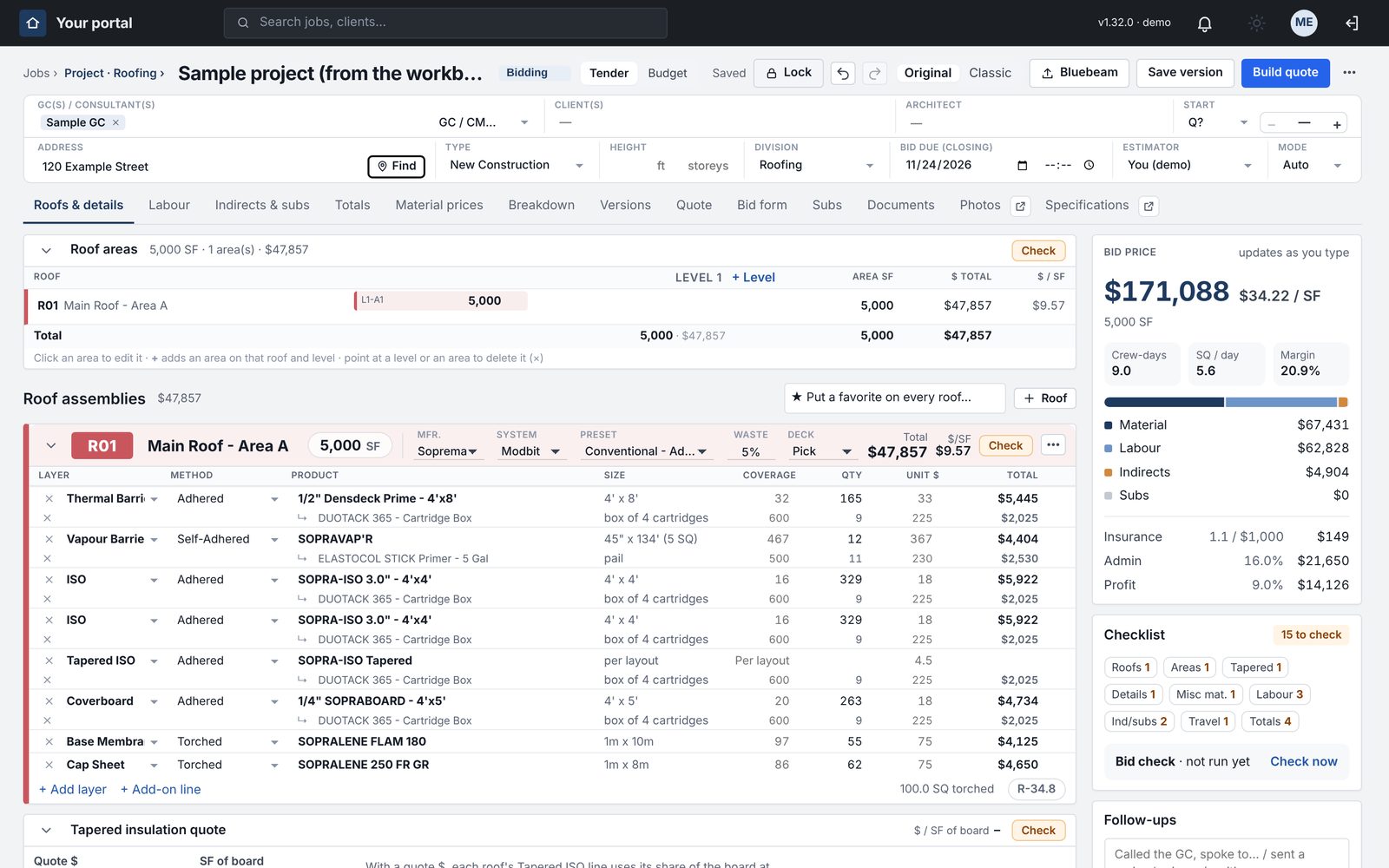
Import the Bluebeam takeoff, pick the system and the preset, and the assembly prices itself: products, coverage, waste, labour by production rate, indirects and margin.
- Bluebeam import - areas, perimeters, wall heights and details straight from your markups
- Assemblies & presets - by manufacturer and system, with R-value and wind uplift checks
- Bid leveling - compare sub and supplier prices on the same scope, plug the exclusions
- Quotes and bid forms - your letterhead, your exclusions, in one click
The estimate becomes the project
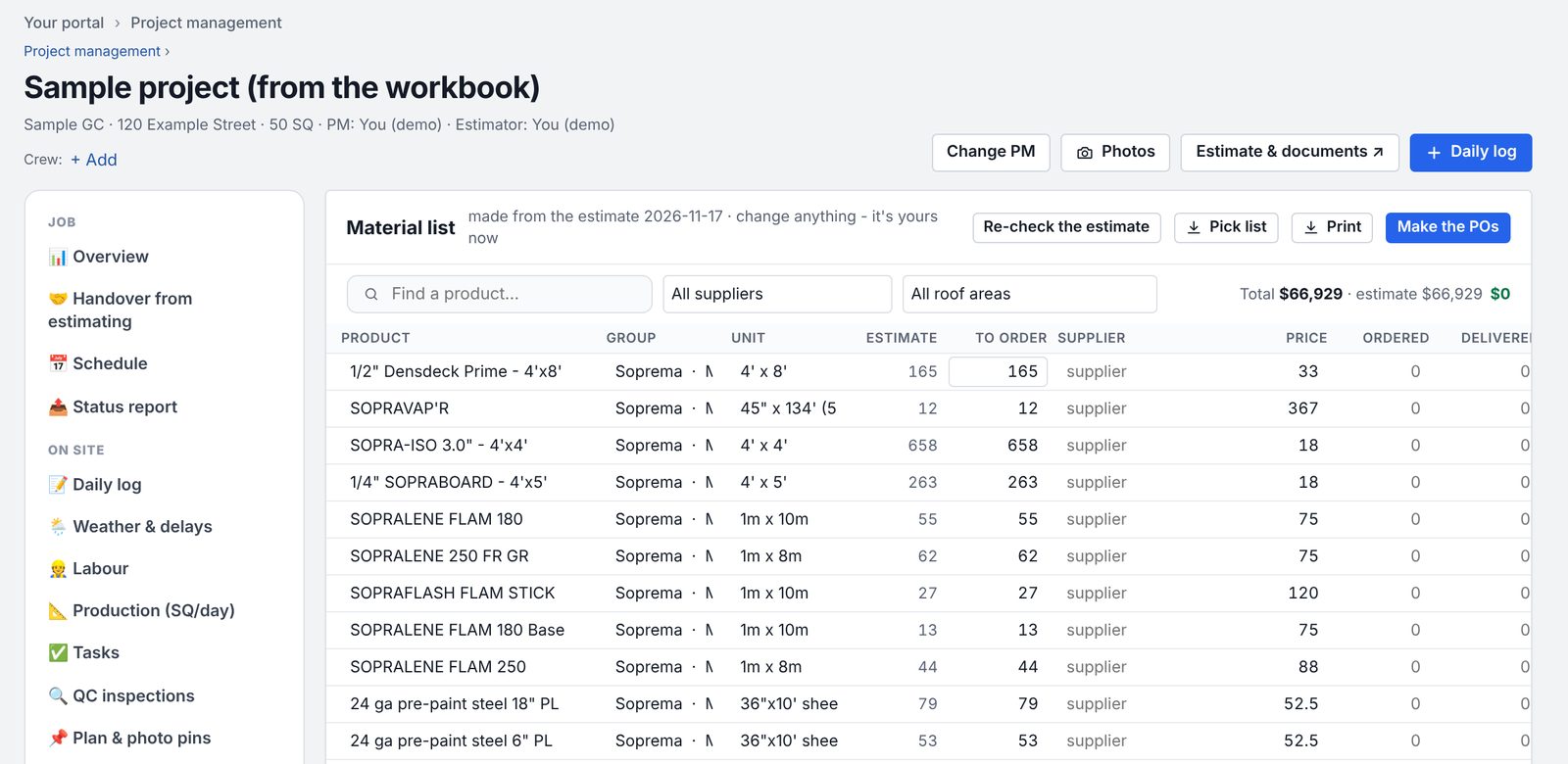
When a job is awarded, the project manager gets a material list built from the estimate - fully editable, because the products always change before the job starts - and turns it into purchase orders by supplier.
- Material list & POs - estimate vs ordered vs delivered, one PO per supplier
- Labour vs budget - hours from the daily logs against the estimate, by task
- Change orders & T&M tickets - signed on site, added to the contract
- RFIs, submittals, schedule, billing - everything in one place per job
Warranties and service that don't get lost
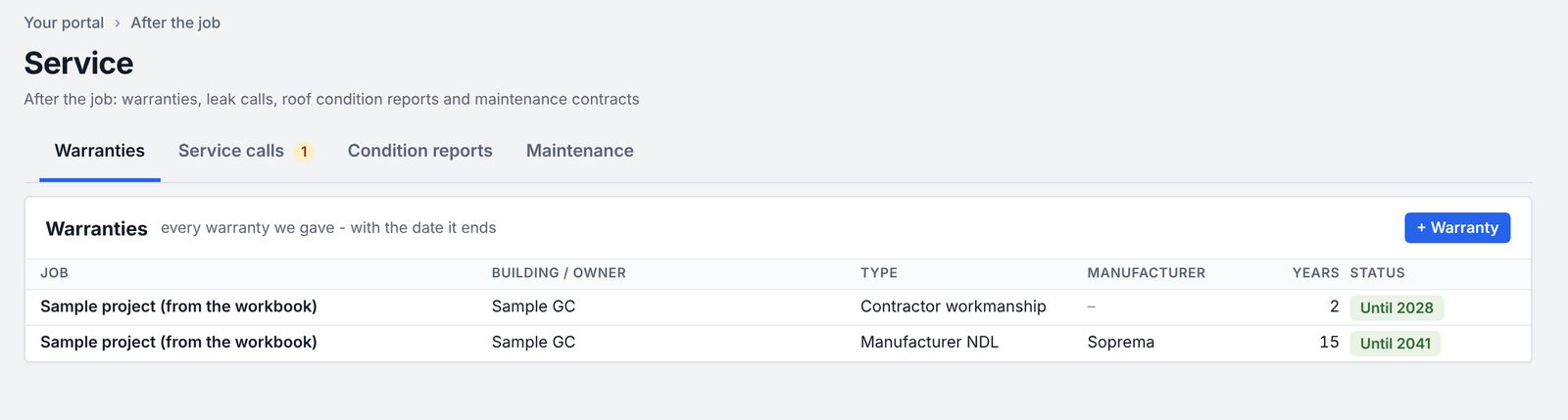
Closeout registers the warranties. Leak calls, condition reports and maintenance contracts live with the building, so the next call - and the next reroof - starts with the full history.
- Warranties - with the date they end and the inspections they need
- Service calls - warranty or billable, photos, the customer's signature
- Condition reports - rate every area, give the owner a 5-year budget
- Maintenance contracts - planned visits and what was found
Built like the roofs you install: in layers.
Each layer does one job and holds up the next. Use the whole system, or start with estimating and add the rest when you're ready.
Section shown top to bottom · not to scale
Made for a phone on a roof in November.
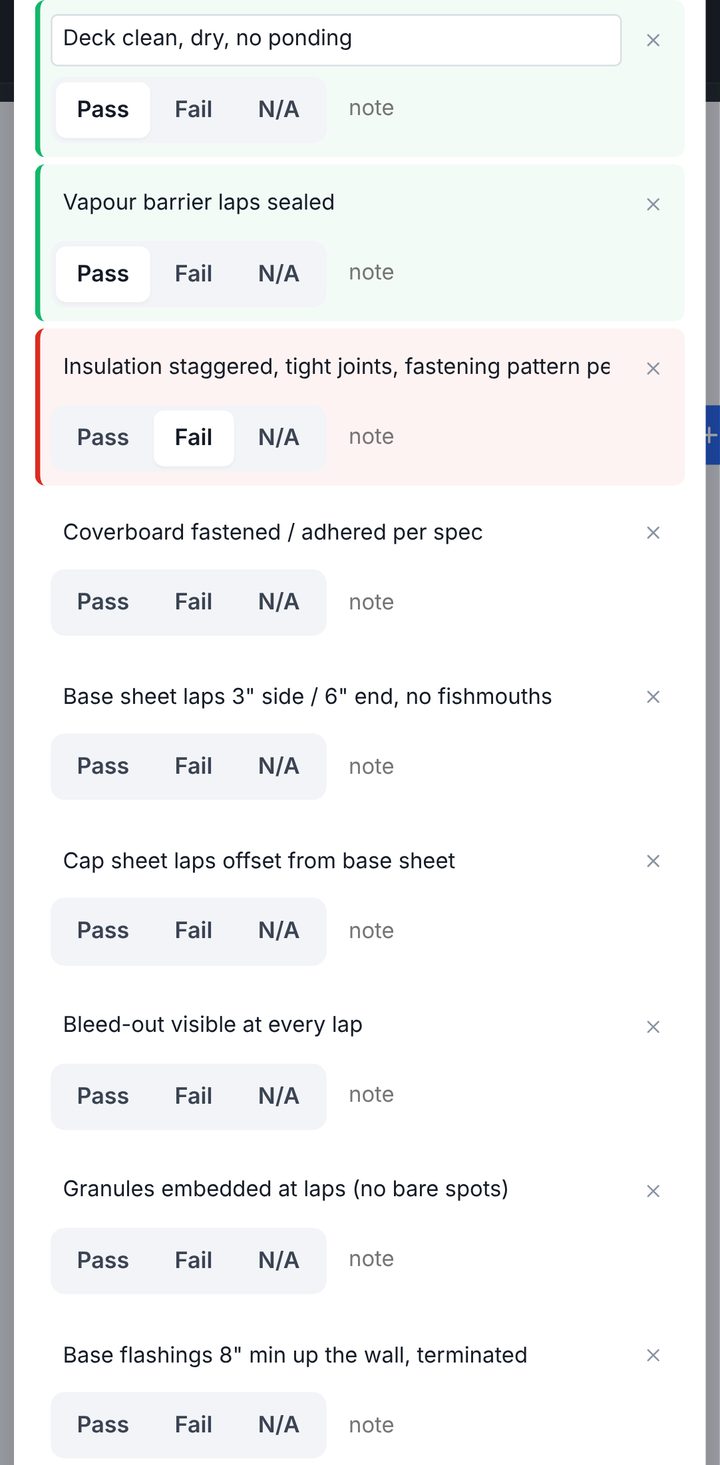
Big buttons, signatures with a finger, photos that go straight into the job's folder instead of someone's camera roll. Works in any phone browser, or as an app on Android.
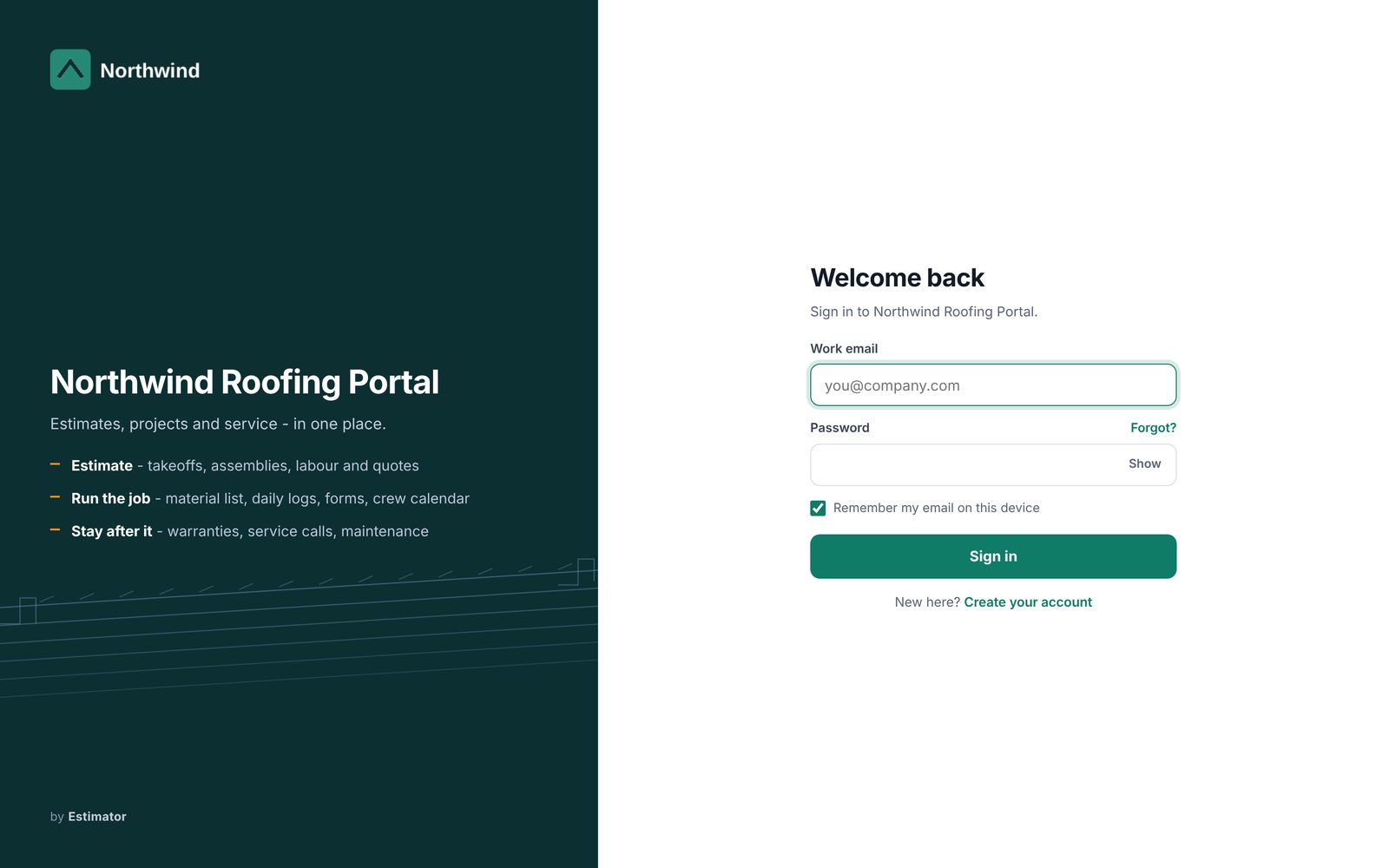
It's your portal. Your name is on it.
Your crews sign in to your company's portal - your logo, your colours, your own link. Your quotes and forms print on your letterhead. We stay in the background.
Everyone opens to their own dashboard.
The numbers that matter
Pipeline, backlog by PM, win rate, which GCs are worth bidding, and where labour is running over.
Bids and closings
Tasks, closing dates, follow-ups, price requests to subs, and a price check against your own history.
Every job, on one page
Progress, alerts, what's ready to bill, the material list, forms and the crew calendar.
All the sites today
Who's where, QC failures to fix, hot work still open, service calls coming in.
My site, my day
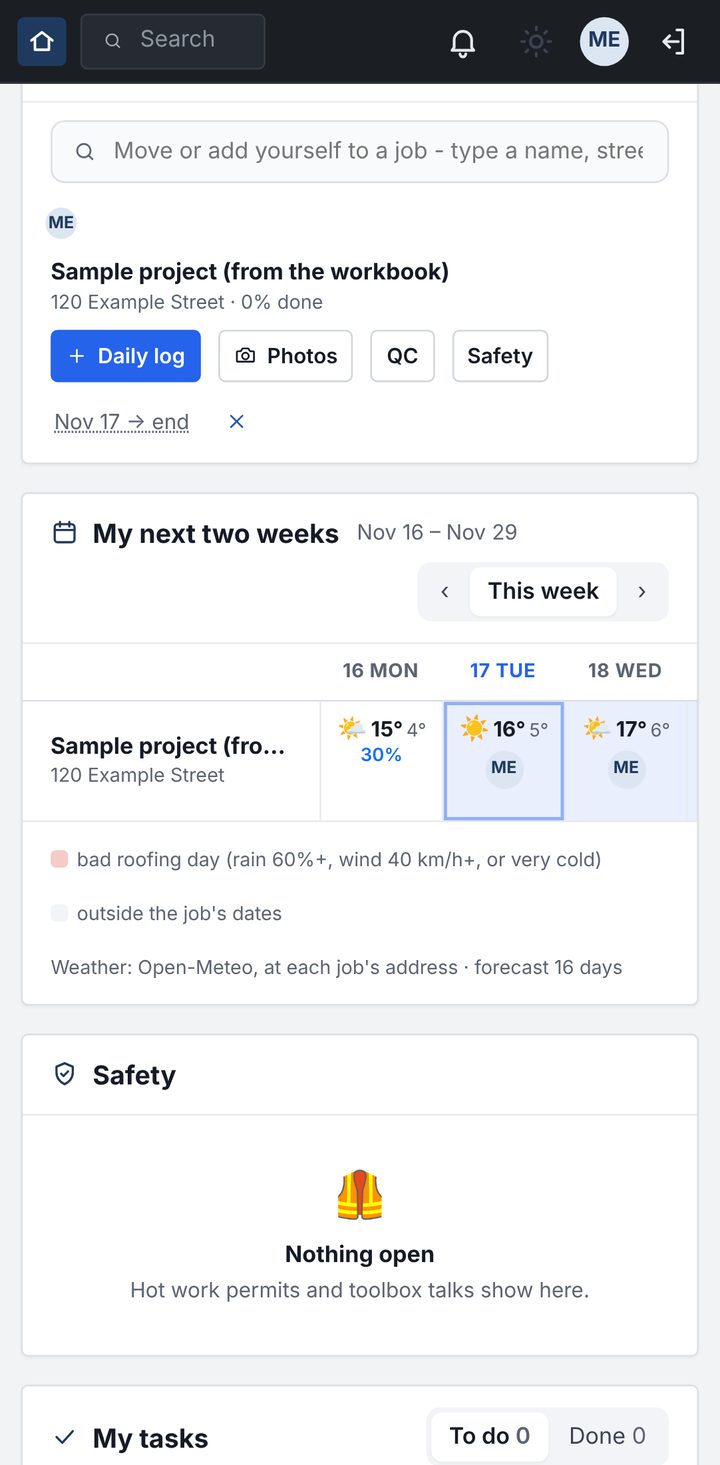
Daily log, photos, QC and safety in two taps - and the weather for the next two weeks.
The team and the setup
People and roles, trades you do, products and presets, and what's missing before it costs you.
The full list.
Estimating
- Bluebeam takeoff importareas · LF · walls
- Assemblies by manufacturer & systempresets
- Labour by production rateSQ / day
- Estimates for every divisionroofing · walls
- R-value & uplift checkR · 1-90
- Bid leveling with plugssubs
- Supplier price list importpaste
- Quote letters & bid forms.docx · PDF
- GC scorecard & win ratego / no-go
- Invitation email to new job1 paste
Projects
- Material list from the estimateeditable
- Purchase orders by supplierPO
- Daily logs with signatureprint
- Labour & production vs budgeth · SQ
- Crew calendar & weather16 days
- Change orders & T&M ticketssigned
- RFIs, submittals, deliveriesforms
- QC checklists by systempass / fail
- Safety: hot work, toolbox talksfire watch
- Owner / GC status reportPDF
After the job & company
- Warranties with end datesNDL
- Service & leak callsbillable
- Condition reports5-yr budget
- Maintenance contractsvisits
- Dashboards by role6
- Your branded portallogo · link
- Photos to SharePointMicrosoft 365
- Closings in Outlookcalendar
- Android appinstall
- Roles & permissionsadmin
Set up with you, not left to you.
Every company bids differently. We load your products, price lists and the way you build before your team signs in.
Book a quote
A short call about your trades, your team and how you estimate today. You get a price for your company.
We set it up
Your products and supplier prices, your systems and presets, production rates, letterhead and your team's accounts.
Go live
A training session for estimators, PMs and the field, then your first real bid in the portal - with us on call.
Priced for your company.
No one-size price list. Your quote depends on what you use and how big your team is - and you only pay for the parts you need.
- Team sizeseats
- Modulesestimating · projects · service
- Setup & data importone time
- Trainingon site or online
What people ask first.
Does it replace Bluebeam?
No. You keep doing your takeoff in Bluebeam. The portal reads your markups - areas, perimeters, wall lengths and heights - so nothing gets typed twice.
Which trades does it handle?
Roofing, waterproofing and cladding out of the box, and you can add your own divisions. Each one gets its own copy of the estimate with its own names, labour steps and numbers.
Can we start with estimating only?
Yes. Many companies start with estimating, then turn on project management and service once the team is comfortable.
Does it work on phones?
Yes, in any phone browser, and as an app on Android. Foremen can log the day, take photos, fill QC and safety forms and sign them right on site.
Do we keep our own branding?
Yes. Your team signs in to your company's portal - your name, logo, colour and link - and every quote, PO and form prints on your letterhead.
Where is our data, and who can see it?
Each company only ever sees its own data. Everyone signs in with their own account, and you control who is an admin. Job photos and documents stay in your own Microsoft 365 (SharePoint).
How much does it cost?
It depends on your team size and the parts you use. Book a quote and we'll give you a price for your company.
Let's price it for your company.
Tell us a little about your team. We'll reach out to set up a short call and a demo with your own kind of job.
- We reply within one business day
- A 30-minute call and demo
- A quote for your company - no obligation